
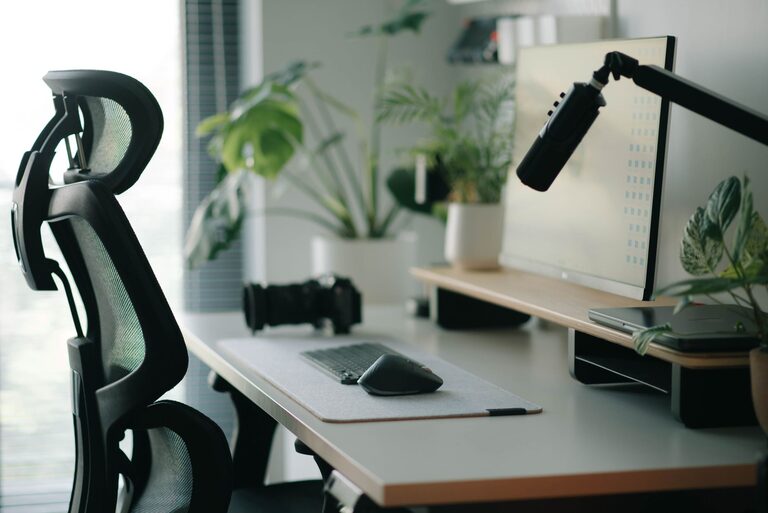

Creating a workspace that promotes both focus and comfort is essential for productivity and well-being. Whether you’re working from home or in an office, a thoughtfully arranged desk can help reduce distractions, minimize physical strain, and make your workday more enjoyable. In this post, we’ll explore practical tips for setting up your desk to maximize focus and comfort.
Why a Good Desk Setup Matters
Your desk is more than just a surface to place your computer or paperwork. It’s a central hub where you spend hours working, thinking, and creating. A poorly arranged workspace can lead to discomfort, fatigue, and lack of concentration. Conversely, a well-organized and ergonomic desk setup supports good posture, reduces stress, and helps you maintain focus.
Choosing the Right Desk and Chair
Pick an Ergonomic Chair
Comfort starts with a chair that supports your posture. Look for features such as adjustable height, lumbar support, and breathable fabric. Your feet should rest flat on the floor, and your knees should be roughly at a 90-degree angle. This helps reduce back and leg strain.
Select a Desk at the Proper Height
A good desk height allows your arms to rest comfortably at a 90-degree angle when typing or writing. Standard desk heights range from 28 to 30 inches, but adjustable desks or sit-stand desks provide flexibility to switch positions throughout the day.
Organizing Your Desk for Focus
Keep Only Essentials Within Reach
Clutter can be distracting and overwhelming. Keep only the items you use daily on your desk — such as your computer, a notebook, pens, and a water bottle. Store other supplies in drawers or organizers to keep your surface tidy.
Use Desk Organizers
Desk trays, pen holders, and cable organizers help keep your workspace neat. Organize your tools in a way that makes them easy to find without searching or reaching far.
Position Your Monitor Correctly
Place your monitor directly in front of you, about an arm’s length away. The top of your screen should be at or slightly below eye level to reduce neck strain. Using a monitor stand can help achieve this alignment.
Lighting for Comfort and Focus
Maximize Natural Light
Natural light can improve mood and alertness. Position your desk near a window if possible, but avoid glare on your screen by angling your monitor away from direct sunlight.
Use Task Lighting
A desk lamp provides focused light for reading or writing without straining your eyes. Choose LED lamps with adjustable brightness and color temperature to suit different tasks and times of day.
Ergonomics and Posture Tips
Take Frequent Breaks
Sitting for long periods can cause discomfort and decrease concentration. Follow the 20-20-20 rule: every 20 minutes, look at something 20 feet away for 20 seconds. Stand up and stretch regularly to reduce stiffness.
Position Your Keyboard and Mouse Properly
Keep your keyboard and mouse close enough so your elbows stay near your sides. Your wrists should be straight and relaxed. Consider a wrist rest to ease pressure during long typing sessions.
Use a Footrest if Needed
If your feet don’t reach the floor comfortably, a footrest can provide additional support and improve your posture.
Personalize Your Space Mindfully
Add Plants or Personal Items
A little greenery can reduce stress and improve air quality. Small plants or photos can make your workspace feel inviting. However, avoid overcrowding your desk to keep distractions at bay.
Choose Soothing Colors and Textures
Soft colors and comfortable materials can create a calming environment. Consider using a mousepad with cushioning or a soft desk mat.
Technology Tips for Reducing Eye Strain
Adjust Screen Settings
Set your screen brightness to match your room lighting. Increase text size if needed, and use blue light filters or “night mode” during evening hours to reduce eye strain.
Keep Cables Organized
Tidy cables prevent tangling and accidents, and they contribute to a clean, distraction-free desk.
Final Thoughts
A well-planned desk setup enhances both your focus and comfort, making work feel less like a chore. By paying attention to ergonomics, organization, lighting, and personalization, you can create a workspace that supports productivity and well-being. Remember that your needs may change over time, so be open to making adjustments to maintain the ideal balance between focus and comfort.
Start small — even simple changes like adjusting your chair or clearing clutter can make a big difference. Your workspace is your foundation for success, so invest some time in setting it up right.