
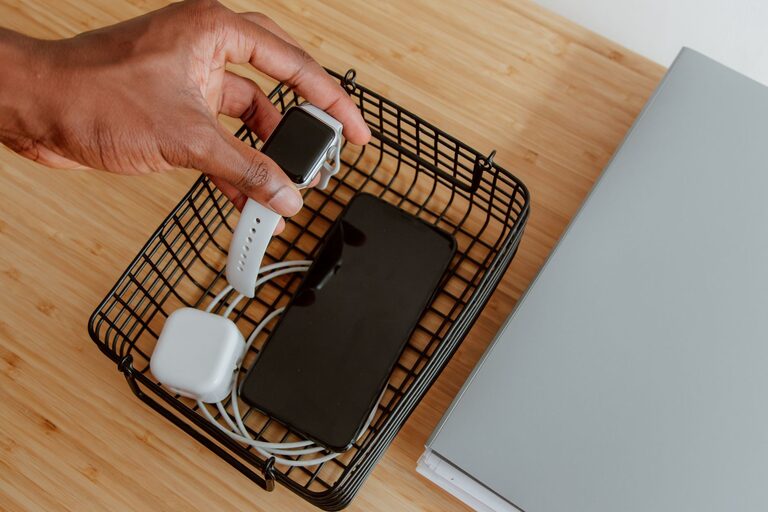

Setting up a dedicated charging station for your devices can save you time, reduce clutter, and keep your gadgets ready to go. Whether you have smartphones, tablets, smartwatches, or other rechargeable devices, a well-organized charging station helps manage cords and prevents lost chargers. In this guide, we’ll walk you through how to design and build a charging station that suits your needs.
Why Have a Charging Station?
Before diving into setup, it helps to understand the benefits:
– Organization: Keeps cables and devices in one place.
– Efficiency: Charges multiple devices simultaneously.
– Safety: Reduces the risk of cables tangling or tripping.
– Accessibility: Makes charging easy for everyone in the household.
Now, let’s get started on setting up your own station.
Step 1: Choose the Right Location
Select a spot that is:
– Close to power outlets.
– Easily accessible to everyone who uses the devices.
– Away from areas where liquids are frequently spilled.
– Well-ventilated to prevent your devices from overheating while charging.
Common choices include a corner of a desk, a shelf, or a small table in a shared living space.
Step 2: Gather the Necessary Materials
You’ll need:
– Power strip or surge protector: Look for one with multiple outlets and USB ports.
– Charging cables: Cable types depend on your devices (e.g., USB-C, Lightning, Micro-USB).
– Cable management tools: Such as cable clips, ties, or sleeves.
– Storage container or organizer: Optional, to hold devices neatly.
– Labeling materials: Stickers or tags to identify cables and devices.
– Optional: A charging dock or multi-device charger if you prefer a compact solution.
Step 3: Assess Your Device Charging Needs
Make a list of all the devices you’ll charge at the station. Consider:
– Number of devices charged at once.
– Type of charging ports each device requires.
– Power needs – some devices may require fast chargers or higher amperage.
This will help you select the right power strip and cables.
Step 4: Organize and Set Up Your Charging Station
Arrange Your Power Source
Plug the power strip into the outlet. If you have a surge protector, it’s a safer choice to protect your devices from power spikes.
Set Up Cables
– Run cables neatly along the surface.
– Use cable clips or ties to prevent tangling.
– Label cables for easy identification.
– If you have multiple USB chargers, connect them to a USB hub or a multiport charger.
Place Devices Strategically
– Position devices so screens are visible if you want to monitor them.
– Consider vertical stands or trays to maximize space.
– Keep heavy or large devices on the bottom to avoid tipping.
Use Organizers or Containers
If your station is on a desk or table, a small basket, tray, or box can hold devices and chargers together neatly.
Step 5: Maintain Your Charging Station
To keep your charging station tidy and functional:
– Regularly check cables for wear or damage.
– Remove devices promptly once fully charged.
– Dust and clean the area weekly.
– Rearrange or add cables if new devices are introduced.
Tips for a Successful Charging Station
– Invest in quality chargers and cables to avoid damage and ensure faster charging.
– Consider wireless charging pads for compatible devices to reduce cable clutter.
– Keep charging devices away from water or damp areas.
– Avoid overloading outlets; check the power strip’s maximum load rating.
– Create a family charging routine to prevent devices from constantly staying plugged in.
Optional: Smart Charging Stations
If you want to take it a step further, there are smart charging stations on the market that offer:
– Automatic device recognition for optimal charging speed.
– Built-in timers to stop charging after full battery.
– Wireless charging combined with multiple USB ports.
– Sleek, space-saving designs.
These typically cost more but provide added convenience.
Conclusion
Setting up a charging station is a simple project that improves your daily routine by keeping devices powered and organized. With the right location, tools, and some planning, you can create a charging hub that fits seamlessly into your home or office. Start with the steps above, and enjoy a tidier, more efficient space. Happy charging!